What is SSL? Why and...
What is SSL? Why and How to Use SSL on Your Website
What is SSL? Why and How to Use SSL on Your Website
In today’s digital world, website security is no longer optional—it’s a necessity. Whether you own a personal blog, a business website, an eCommerce store, or a corporate portal, protecting your visitors’ data should always be one of your highest priorities.
One of the simplest yet most effective ways to secure your website is by using an SSL certificate.
If you’ve ever noticed a small padlock icon beside a website’s address or seen a URL beginning with https:// instead of http://, you’ve already encountered SSL in action.
But what exactly is SSL? Why is it important? How does it work? And how can you install it on your own website?
In this comprehensive guide, we’ll answer all of these questions in simple language, helping beginners and business owners understand why SSL has become an essential part of every modern website.
What is SSL?
SSL (Secure Sockets Layer) is a security technology that encrypts data transmitted between a user’s browser and a web server.
Although modern websites actually use TLS (Transport Layer Security), the term SSL is still widely used across the hosting industry.
SSL protects sensitive information such as:
- Login credentials
- Credit card information
- Personal data
- Contact forms
- Banking information
- Email addresses
- Business communications
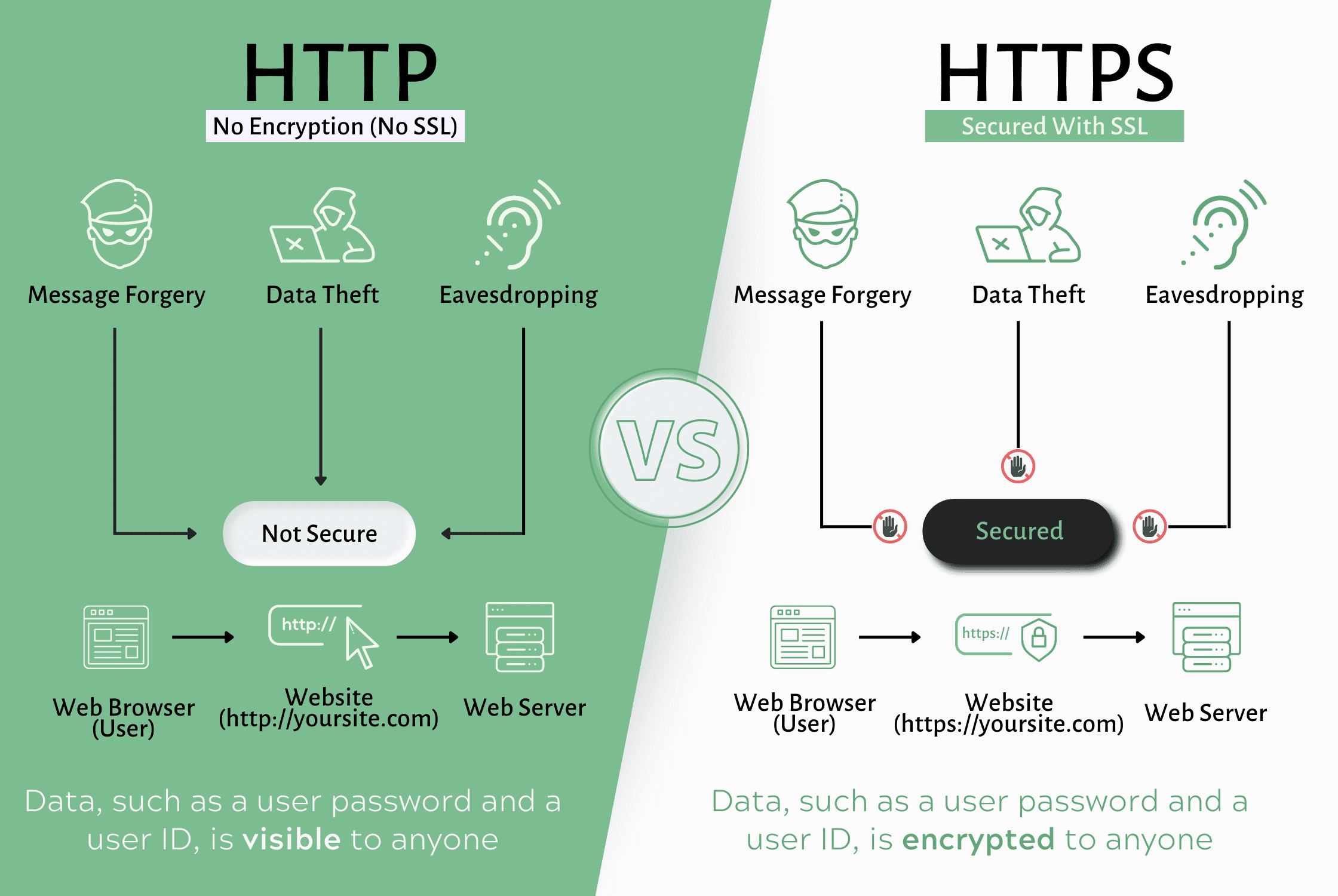
Without SSL, information sent between a visitor and your website travels as plain text, making it easier for attackers to intercept and read. With SSL enabled, the data is encrypted, meaning even if someone captures it, they cannot easily understand or misuse it.
What Does HTTPS Mean?
HTTP stands for HyperText Transfer Protocol.
HTTPS stands for HyperText Transfer Protocol Secure.
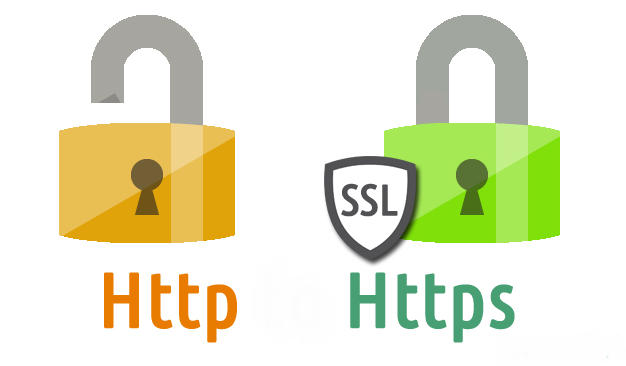
The extra S means your website is protected by an SSL/TLS certificate.
For example:
When visitors see HTTPS and the padlock icon, they know your website provides a secure connection.
How Does SSL Work?
SSL creates an encrypted connection between a visitor’s browser and the web server.
The process works like this:
Step 1: Visitor Opens Your Website
A visitor enters your website address in their browser.
Step 2: SSL Certificate Verification
Your web server sends its SSL certificate to the visitor’s browser.
The browser checks:
- Is the certificate valid?
- Is it issued by a trusted Certificate Authority (CA)?
- Has it expired?
- Does it belong to this domain?
If everything checks out, the browser continues the connection.
Step 3: Encryption Begins
The browser and server securely exchange encryption keys and establish a protected connection.
Every piece of data sent afterward becomes encrypted.
Step 4: Secure Data Transfer
Now all information—including passwords, payment details, and customer information—is safely transmitted.
Even if attackers intercept the traffic, they cannot easily read the encrypted data.
Why SSL is Important
Many website owners think SSL is only necessary for online stores.
This is a common misconception.
Every website should use SSL, regardless of its size or purpose.
Whether your site is:
- A personal blog
- A portfolio
- A news website
- A school website
- A company website
- A WordPress website
- A government website
- An eCommerce platform
SSL helps protect both your website and its visitors.
Benefits of Using SSL
1. Protects User Data
Every day, visitors submit sensitive information such as:
- Passwords
- Email addresses
- Phone numbers
- Payment details
- Contact forms
SSL encrypts this data during transmission, making it significantly harder for cybercriminals to intercept.
2. Builds Customer Trust
Trust is one of the most valuable assets for any online business.
When visitors see:
- HTTPS
- The secure padlock icon
- A valid SSL certificate
they are more likely to believe your website is legitimate and secure.
On the other hand, modern browsers often display warnings such as “Not Secure” for websites without SSL. These warnings can discourage visitors from continuing to browse your site.
3. Improves Google Rankings
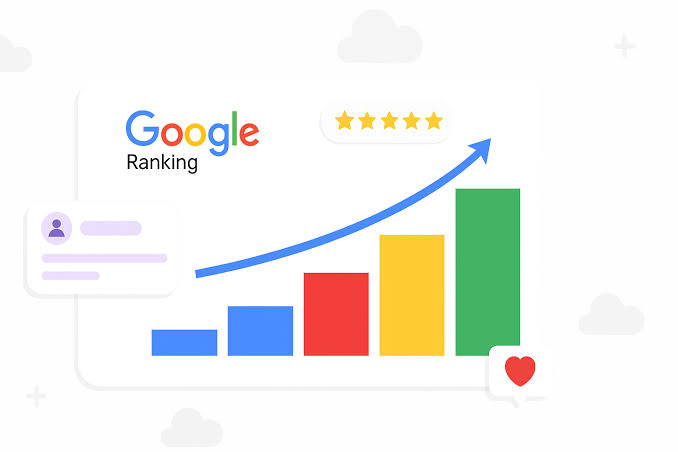
Google has officially confirmed that HTTPS is a ranking signal.
Although SSL alone won’t push your website to the top of search results, it contributes to better SEO by:
- Improving website trust
- Enhancing user experience
- Increasing visitor confidence
- Supporting secure browsing
If two websites offer similar content, the secure one may have an advantage.
4. Better User Experience
Modern browsers such as Google Chrome, Microsoft Edge, Mozilla Firefox, and Safari prioritize secure websites.
Visitors are more comfortable interacting with websites that display the secure padlock icon.
This increased confidence can lead to:
- Longer browsing sessions
- Lower bounce rates
- More inquiries
- Higher sales
- Better engagement
5. Essential for Online Payments
If your website accepts online payments, SSL is absolutely essential.
Without SSL:
- Payment information is vulnerable.
- Customer trust decreases.
- Payment gateways may refuse to process transactions.
- Security standards may not be met.
Most payment providers require websites to use HTTPS before accepting online payments.
6. Required for Many Modern Features
Many web technologies only work on secure HTTPS websites.
Examples include:
- Progressive Web Apps (PWAs)
- Secure cookies
- Browser notifications
- Geolocation services
- Camera access
- Microphone access
- HTTP/2 and HTTP/3 performance improvements
Without SSL, some of these features may not function correctly.
7. Protects Login Pages
Admin panels such as:
- WordPress
- cPanel
- WHM
- Custom CMS platforms
contain sensitive login information.
SSL encrypts usernames and passwords, reducing the risk of credential theft during transmission.
Is SSL Important for Small Businesses?
Absolutely.
Many small business owners believe hackers only target large corporations.
In reality, automated attacks frequently scan the internet for vulnerable websites of all sizes.
A small business website without SSL may be exposed to:
- Data interception
- Credential theft
- Fake login pages
- Customer distrust
- Browser security warnings
Installing an SSL certificate is one of the easiest and most cost-effective steps you can take to strengthen your website’s security.
Why CyberDeveloperBD Recommends SSL
At CyberDeveloperBD, we strongly recommend enabling SSL on every website—from personal blogs to enterprise applications.
Our hosting platform supports easy SSL deployment, helping website owners secure their sites quickly. Combined with fast NVMe SSD hosting, LiteSpeed web servers, and reliable uptime, SSL provides another essential layer of protection for your online presence.
In the next part of this guide, we’ll explore the different types of SSL certificates, explain the differences between free and paid SSL, and walk you through the installation process on popular hosting platforms and WordPress websites.
Types of SSL Certificates
Not all SSL certificates are the same. Different types of SSL certificates are designed to meet different security and business needs. Choosing the right certificate depends on the type of website you operate, the number of domains you manage, and the level of trust you want to provide to your visitors.
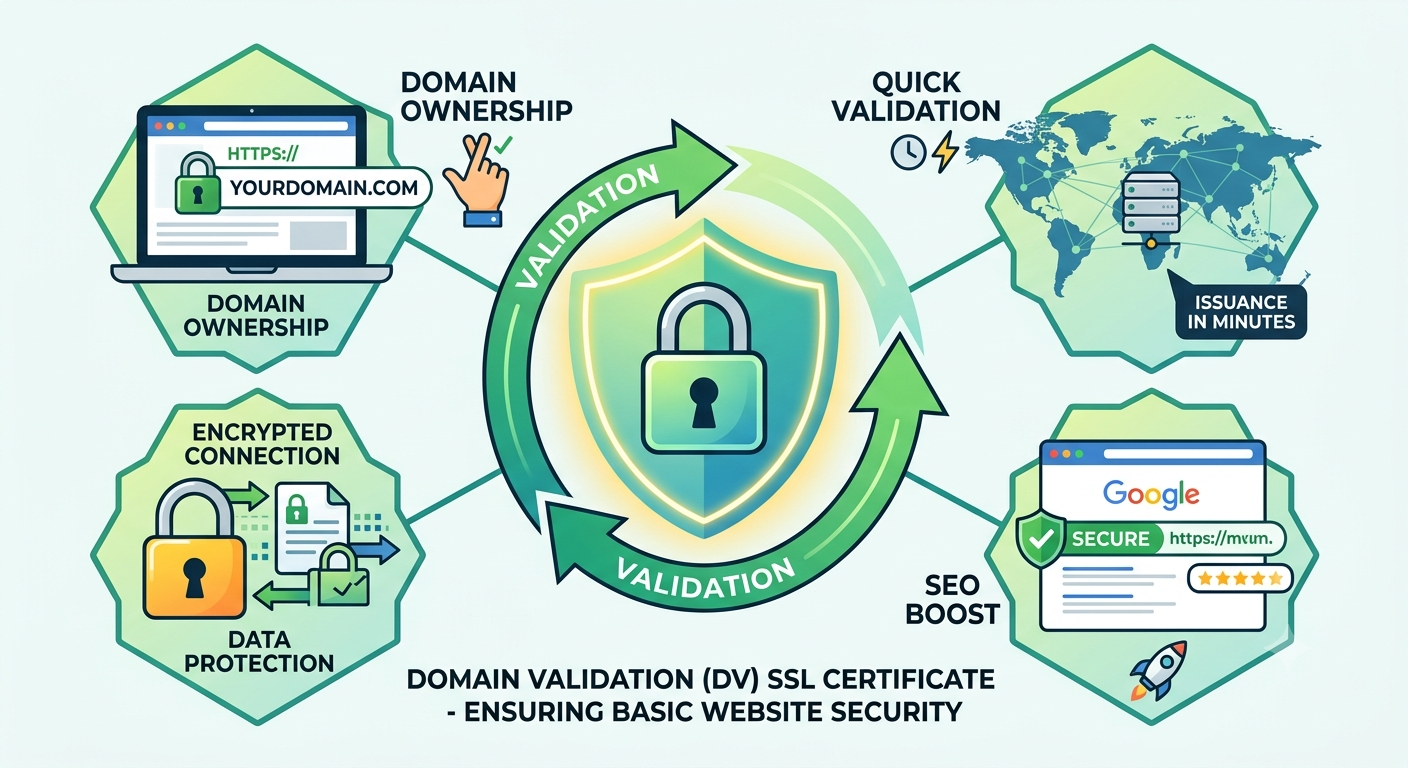
1. Domain Validation (DV) SSL Certificate
A Domain Validation (DV) SSL certificate is the most common and affordable type of SSL certificate. It only verifies that the applicant owns the domain name.
Best for:
- Personal blogs
- Portfolio websites
- Small business websites
- Company landing pages
- WordPress websites
Advantages
- Quick issuance (often within minutes)
- Affordable or even free
- Strong encryption
- Ideal for most standard websites
Most hosting providers, including CyberDeveloperBD, offer free DV SSL certificates through Let’s Encrypt.
2. Organization Validation (OV) SSL Certificate
An Organization Validation (OV) certificate provides an additional layer of trust by verifying both the domain ownership and the legitimacy of the organization requesting the certificate.
Best for:
- Registered businesses
- Educational institutions
- Non-profit organizations
- Government-related websites
Visitors can verify that the website belongs to a legitimate organization, increasing confidence in your brand.
3. Extended Validation (EV) SSL Certificate
An Extended Validation (EV) certificate offers the highest level of business verification. The Certificate Authority performs extensive checks before issuing the certificate.
Best for:
- Banks
- Financial institutions
- Large eCommerce stores
- Insurance companies
- Enterprise websites
Although modern browsers no longer display the company name prominently in the address bar, EV certificates still provide a high level of assurance and credibility.
4. Wildcard SSL Certificate
A Wildcard SSL certificate secures your main domain and all first-level subdomains under it.
Example:
- example.com
- blog.example.com
- shop.example.com
- mail.example.com
- support.example.com
Instead of purchasing separate certificates for each subdomain, one Wildcard certificate protects them all.
Best for:
- Growing businesses
- Hosting companies
- SaaS platforms
- Agencies managing multiple subdomains
5. Multi-Domain SSL Certificate
A Multi-Domain SSL certificate (also known as SAN SSL) protects multiple completely different domain names under a single certificate.
Example:
- example.com
- mycompany.net
- onlinebusiness.org
- company.co.uk
This is ideal for organizations that manage several independent websites.
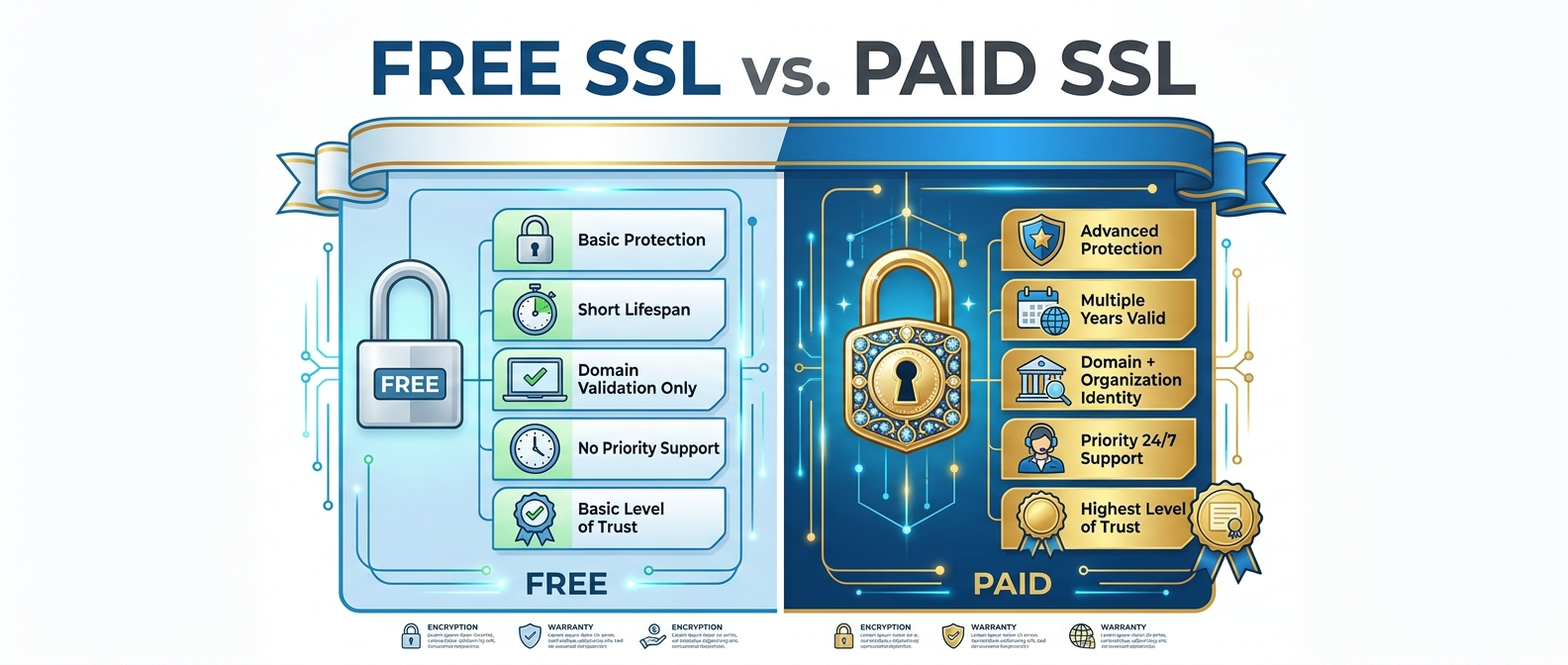
Free SSL vs Paid SSL
One of the most common questions website owners ask is whether a free SSL certificate is enough or if they should purchase a paid one.
The answer depends on your website’s requirements.
Free SSL
Popular providers such as Let’s Encrypt offer trusted SSL certificates at no cost.
Benefits
- Free of charge
- Strong encryption
- Automatically renewable on many hosting platforms
- Perfect for blogs, portfolios, and most business websites
Limitations
- Domain validation only
- No business identity verification
- Limited warranty and support
Paid SSL
Paid SSL certificates include additional validation, warranties, and professional support.
Benefits
- Business verification
- Higher trust for enterprise websites
- Warranty protection
- Dedicated support
- Additional certificate options such as Wildcard and Multi-Domain
Best for
- Online stores
- Financial websites
- Corporate portals
- Large organizations
- Businesses handling sensitive customer data
How to Install an SSL Certificate
The installation process depends on your hosting provider and control panel, but the general steps are similar.
Installing SSL in cPanel
If your hosting account includes free SSL, installation is often automatic.
If manual installation is required:
- Log in to your cPanel account.
- Navigate to the SSL/TLS section.
- Upload or install your SSL certificate files if provided.
- Assign the certificate to your domain.
- Complete the installation process.
- Verify that HTTPS is working correctly.
Many hosting providers automate these steps, allowing you to secure your website with just a few clicks.
How to Enable HTTPS in WordPress
After installing your SSL certificate, you should ensure your WordPress website uses HTTPS for every page.
Step 1
Log in to your WordPress Dashboard.
Step 2
Go to:
Settings → General
Update both:
- WordPress Address (URL)
- Site Address (URL)
Change:
http://yourdomain.comto
https://yourdomain.comSave the changes.
Step 3
Clear your website cache and browser cache.
If you use a caching plugin such as LiteSpeed Cache or WP Rocket, purge all cached files.
Step 4
Test your website.
Open several pages and confirm that every URL begins with:
https://Force HTTPS on Your Website
Even after SSL is installed, visitors may still access your website using the old HTTP version.
To prevent this, configure a permanent 301 redirect from HTTP to HTTPS.
On Apache servers, this is commonly done through the .htaccess file. On Nginx servers, the redirect is configured in the server block.
Benefits of forcing HTTPS include:
- Consistent user experience
- Better SEO
- Elimination of duplicate HTTP and HTTPS versions
- Improved security
How to Check if SSL Is Working
After installation, verify that your SSL certificate is functioning properly.
Simple checks
- Look for the padlock icon in your browser.
- Ensure the URL starts with
https://. - Click the padlock to view certificate information.
- Confirm that the certificate is valid and not expired.
You can also use online SSL testing tools to perform a deeper analysis of your certificate configuration and identify any potential issues.
Best Practices for SSL Security
Installing an SSL certificate is only the first step. Follow these best practices to maintain a secure website:
- Always redirect HTTP traffic to HTTPS.
- Renew your SSL certificate before it expires.
- Enable automatic renewal whenever possible.
- Keep WordPress, plugins, themes, and your CMS updated.
- Use strong administrator passwords and multi-factor authentication.
- Regularly back up your website.
- Monitor your site for mixed-content warnings.
- Combine SSL with a Web Application Firewall (WAF) and malware scanning for stronger protection.
By following these practices, you can provide a safer browsing experience for your visitors and reduce the risk of security incidents.
In the final part of this guide, we’ll discuss common SSL errors, how to troubleshoot them, answer frequently asked questions, and wrap up with practical recommendations for choosing the right SSL solution for your website.
Common SSL Errors and How to Fix Them
Even after installing an SSL certificate, you may occasionally encounter errors. Most SSL issues are easy to resolve once you understand the cause.
1. Mixed Content Warning
A mixed content error occurs when your website loads securely over HTTPS, but some resources—such as images, JavaScript files, CSS files, or fonts—are still loaded using HTTP.
Symptoms
- The padlock icon does not appear.
- Browsers display a “Not Fully Secure” warning.
- Some website features may not work correctly.
Solution
- Update all internal links to use HTTPS.
- Replace hard-coded HTTP URLs in your theme or plugins.
- Use relative URLs where appropriate.
- Run a search-and-replace tool in WordPress to update old HTTP links.
2. SSL Certificate Expired
Every SSL certificate has an expiration date. Once it expires, browsers will warn visitors that your website is not secure.
Solution
- Renew your SSL certificate before it expires.
- Enable automatic renewal if your hosting provider supports it.
- Regularly monitor certificate expiration dates.
3. Certificate Name Mismatch
This error appears when the SSL certificate does not match the domain name being accessed.
For example:
- Certificate issued for:
example.com - Visitor opens:
shop.example.com
Unless the certificate covers the subdomain, the browser will display a security warning.
Solution
- Install the correct SSL certificate.
- Use a Wildcard SSL certificate if you have multiple subdomains.
- Ensure both the
wwwand non-wwwversions of your domain are properly configured.
4. Browser Says “Your Connection Is Not Private”
This message can appear for several reasons:
- Expired certificate
- Invalid certificate
- Incorrect server configuration
- Incorrect system date and time on the visitor’s device
- Missing intermediate certificates
Solution
- Verify your SSL installation.
- Check the certificate chain.
- Contact your hosting provider if necessary.
- Test your website using an online SSL checker.
SSL and SEO: Why Google Prefers HTTPS
Search engine optimization (SEO) is about more than just keywords and backlinks. Website security also plays a role in how search engines evaluate your site.
Google has confirmed that HTTPS is a ranking signal. While SSL alone won’t guarantee a #1 ranking, it contributes to a healthier, more trustworthy website.
Benefits of HTTPS for SEO include:
- Improved user trust
- Lower bounce rates
- Better crawling and indexing
- Enhanced data security
- Positive user experience
- Increased conversion rates
When visitors feel safe browsing your website, they are more likely to stay longer, explore additional pages, and complete desired actions such as filling out a contact form or making a purchase.
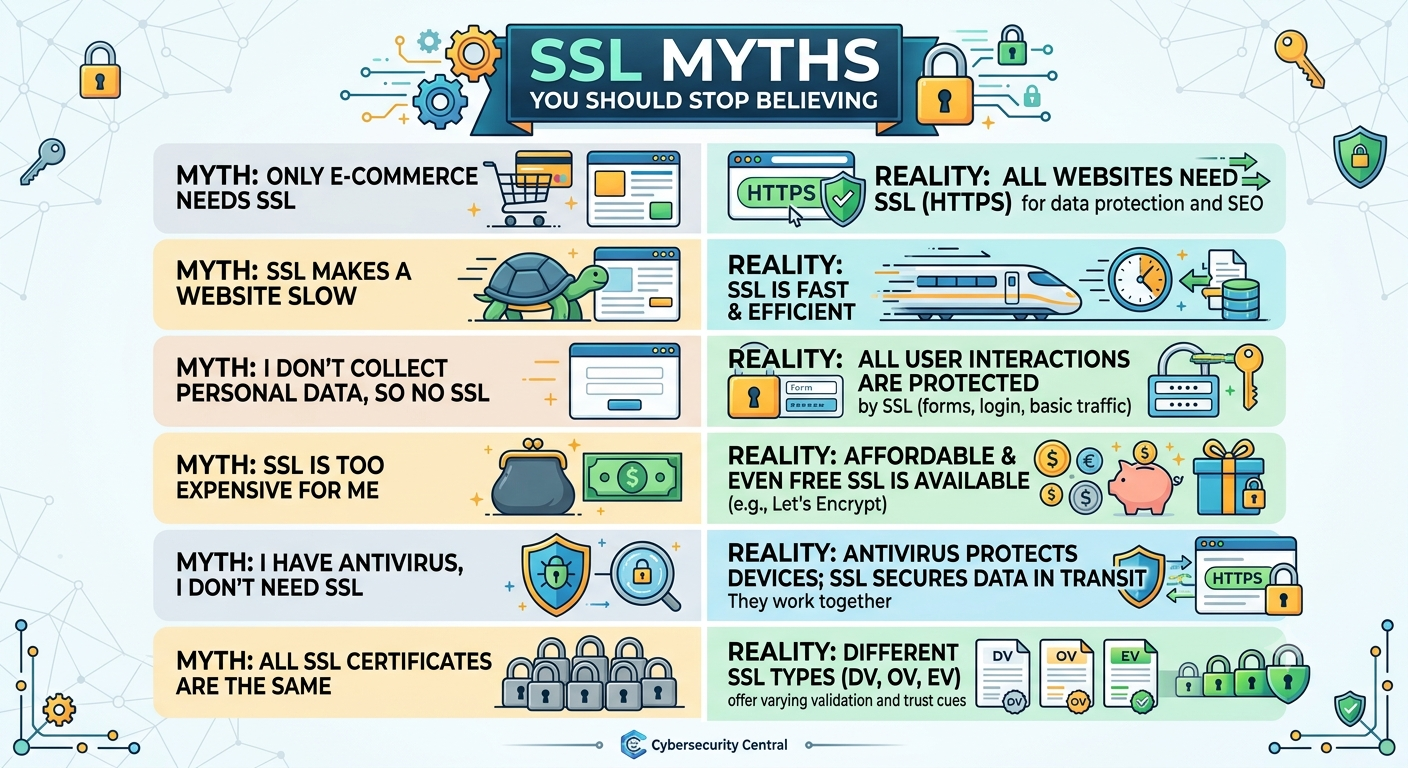
SSL Myths You Should Stop Believing
Myth 1: Only eCommerce Websites Need SSL
Reality: Every website benefits from SSL, even if it doesn’t process payments.
Myth 2: Free SSL Isn’t Secure
Reality: Free SSL certificates from trusted Certificate Authorities, such as Let’s Encrypt, use the same encryption standards as many paid certificates. The primary differences involve validation level, warranty, and support—not encryption strength.
Myth 3: SSL Makes Your Website Completely Hack-Proof
Reality: SSL protects data during transmission, but it does not stop malware, weak passwords, vulnerable plugins, or server attacks. Website security requires multiple layers of protection.
Myth 4: Installing SSL Will Slow Down My Website
Reality: Modern servers and browsers handle SSL very efficiently. In many cases, HTTPS combined with HTTP/2 or HTTP/3 can actually improve website performance.
Frequently Asked Questions (FAQ)
Is SSL free?
Yes. Many hosting providers offer free SSL certificates through Let’s Encrypt. These certificates provide strong encryption and are suitable for most websites.
How long does an SSL certificate last?
The validity period depends on the certificate provider. Free certificates often renew automatically every few months, while many commercial certificates are issued for up to one year and require renewal before expiration.
Can I use one SSL certificate for multiple websites?
Yes, if you purchase a Multi-Domain (SAN) SSL certificate. Otherwise, each domain generally requires its own certificate.
Do I need SSL for my WordPress website?
Absolutely. Every WordPress website should use HTTPS to protect login credentials, contact forms, customer information, and administrator accounts.
Does SSL protect my website from hackers?
SSL encrypts data transmitted between your visitors and your server. However, it does not replace other security measures such as strong passwords, regular updates, website backups, firewalls, and malware protection.
Can I install SSL myself?
Yes. Many hosting control panels, including cPanel, make SSL installation simple. If you’re unsure, your hosting provider’s support team can usually assist with the setup.
Final Thoughts
Website security is one of the most important investments you can make for your online presence. Whether you run a personal blog, a company website, a portfolio, or a large eCommerce store, using an SSL certificate is no longer optional—it’s an industry standard.
SSL helps encrypt sensitive information, builds trust with your visitors, supports better search engine visibility, and enables modern web technologies. More importantly, it demonstrates that you value your users’ privacy and security.
For most websites, a free Domain Validation (DV) SSL certificate is an excellent starting point. Businesses that require additional verification or manage multiple domains can explore Organization Validation (OV), Extended Validation (EV), Wildcard, or Multi-Domain SSL certificates.
Remember that SSL is just one part of a strong security strategy. Keep your website software up to date, use secure passwords, perform regular backups, and monitor your website for vulnerabilities.
Secure Your Website with CyberDeveloperBD
At CyberDeveloperBD, we believe every website deserves fast, reliable, and secure hosting.
Our hosting solutions are designed to help individuals, startups, and businesses build a secure online presence with ease.
When you choose CyberDeveloperBD, you benefit from:
- Free SSL Certificate on eligible hosting plans
- High-speed NVMe SSD Hosting
- LiteSpeed Web Server for superior performance
- Easy WordPress Installation
- Daily Backup Options
- 99.9% Uptime
- Advanced Security Features
- Expert Technical Support
- Affordable Hosting Plans for Every Budget
Whether you’re launching your first website or managing a growing online business, CyberDeveloperBD provides the tools and support you need to succeed.
Ready to secure your website? Choose a hosting plan from CyberDeveloperBD, enable SSL, and give your visitors the confidence they deserve while improving your website’s security, performance, and search engine visibility.
Conclusion
An SSL certificate is no longer a luxury—it’s a necessity. It protects your visitors, strengthens your brand’s credibility, improves SEO, and lays the foundation for a safer internet experience.
If your website is still using HTTP, now is the perfect time to make the switch to HTTPS. It’s a simple change that can have a lasting impact on your website’s security, reputation, and success.

